Campus Lead Guide
This guide explains the Campus Activation Phase from your side: what you do in MyCampus, how each action works, and why the League built it that way. It is short enough to read before the announcement.
Watch it first. Four minutes, narrated, on the real screens.
Your role, and why the window is short
Get every strong student venture on your campus registered, verified, and considered for nomination between September 29 and November 20, 2026.
The League needs one thing from each founding university that nobody else can provide: knowledge of who is actually building on that campus. The best student ventures are often not in any entrepreneurship program. They are in a dorm, a lab, or a group chat. The campus lead is the person who knows, or can find out.
The window is short and there is no second wave because the 36 Playoff ventures are announced on December 4 and the Playoff starts January 15. A venture that misses the cutoff misses the season. The playbook recommends 10 to 15 nominations per campus so the Selection Committee sees real choice from every school.
Your standing among the ten founding universities is your campus points: the sum of your verified ventures' Traction Scores. It rises when your founders build. That is the only way it rises.
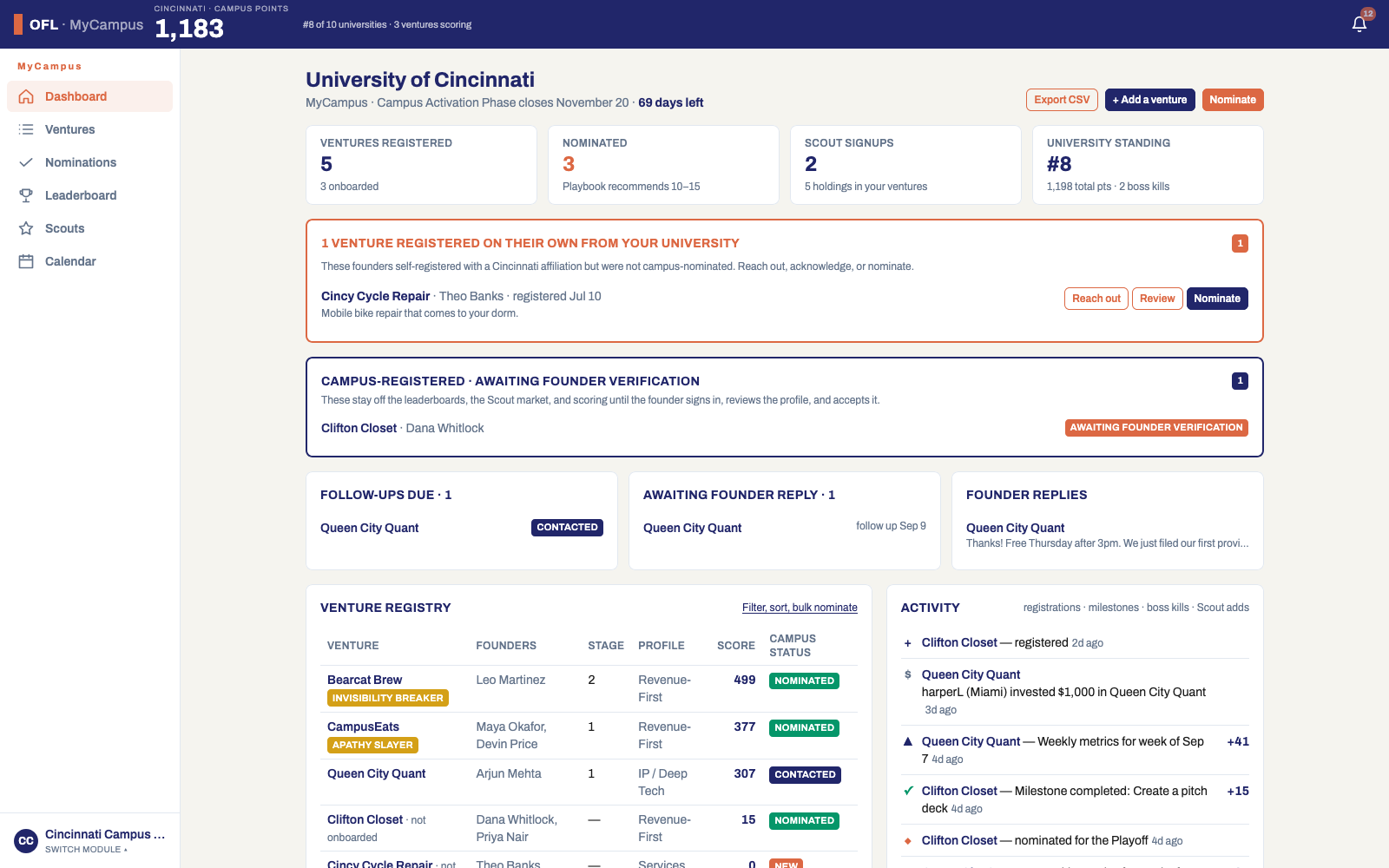
- 1Sign in to MyCampus before the announcement and check your details.
- 2List the ventures you already know. Find the ones you do not.
- 3Register, chase verification, reach out, review, nominate. Ten to fifteen by November 20.
| DATE | WHAT HAPPENS |
|---|---|
| September 29, 2026 | Public announcement |
| November 20, 2026 | Campus Activation Phase data cutoff |
| December 4, 2026 | 36 Playoff ventures announced, mentors assigned |
| January 15, 2027 | PLAYOFF OFFICIALLY STARTS |
| March 9, 2027 | Cincinnati Regional Championship (South Ohio) (12 ventures, 5 judges) |
| March 10, 2027 | Columbus Regional Championship (Central Ohio) |
| March 11, 2027 | Cleveland Regional Championship (North Ohio) |
| March 14, 2027 | Selection Sunday (3 auto + 7 selected = 10) |
| May 5, 2027 | Blackout |
| May 19, 2027 | STATE CHAMPIONSHIP (State Champion crowned, $500,000 awarded) |
Two ways in, and why the founder must verify
Students register themselves and appear as New. Or you register a venture on a founder's behalf and they verify it.
Both paths exist because both are real. Some founders will hear about the League before you reach them and register directly. Others you already know well and can enter yourself, which saves them the work and gets your campus moving before the announcement.
The verification step is not bureaucracy. A venture you register carries claims about stage, challenges done, and revenue, and those claims will be verified by an official at the founder's first boss fight. So the founder has to own them first. Until they open the verification link, review every step, adjust anything wrong, and accept, the venture is not scored, not on any leaderboard, and not in the Scout market. No founder is ever scored on a claim they did not make.
- 1Self-registered: the venture appears in your registry as Self-registered with the workflow status New, and an alert card on your dashboard. Reach out first. They may not know you exist.
- 2Add a venture: complete the same five steps a founder would, with the founder's name and email. They get a verification link by email and a notification in the platform. The venture shows Awaiting founder verification until they accept.
- 3Chase acceptance within a few days. Nothing counts until they do.
| STATUS | MEANING |
|---|---|
| Awaiting founder verification | Registered by the campus. Not scored or listed until the founder verifies and accepts. |
| Verified | Founder verified and accepted the profile. They own it from here. |
| Declined by founder | Founder said this profile is not theirs or declined to participate. |
The outreach workflow, and why every step leaves a note
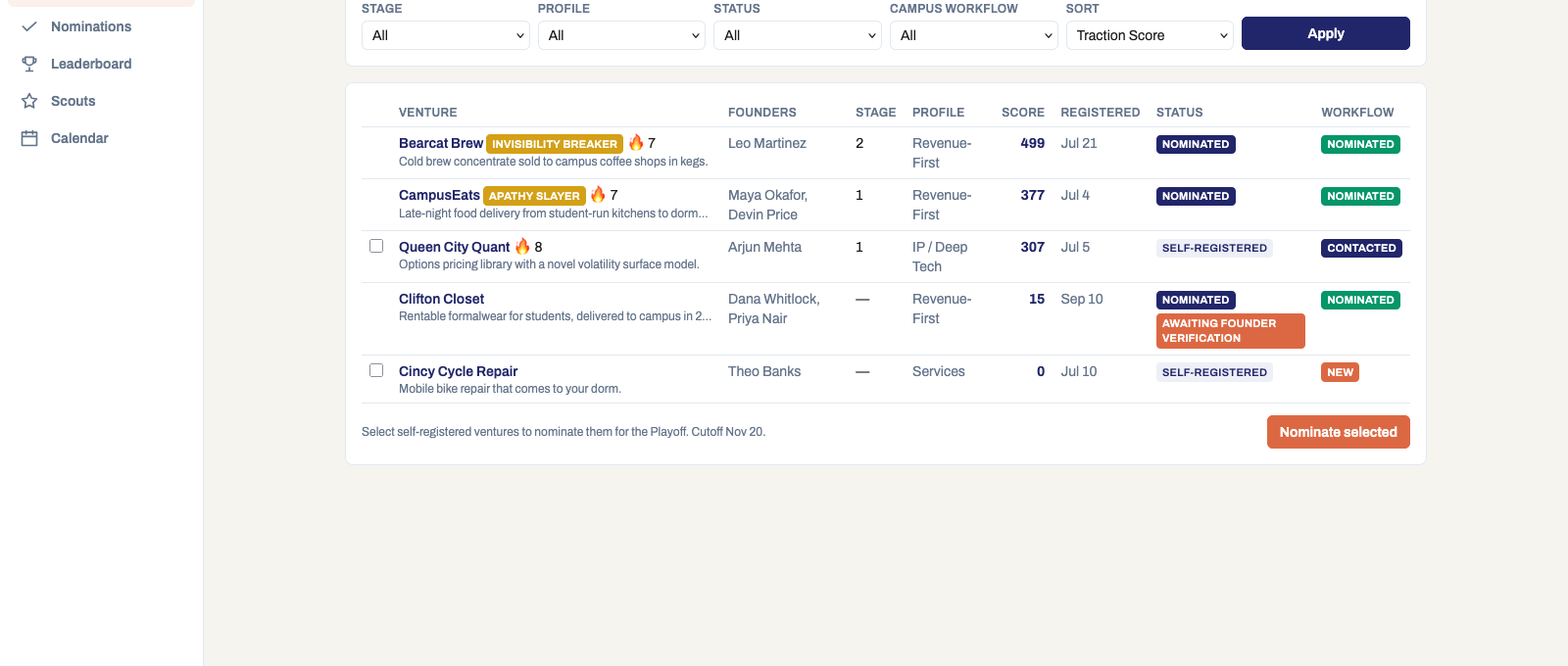
New, Contacted, Watching or Not nominating, Nominated. Each move is a real action with a record.
A nomination window across ten campuses only works if every campus can show its work. So Reach out is not a mailto link. It sends a templated message from the platform, records a note on the venture, and sets a follow-up date, and the status moves to Contacted. Follow-ups due and founder replies come back to your dashboard, so nothing depends on memory.
Review opens the whole venture: stage, profile, challenges, weekly reports, Scout activity. From there you set Watching with a date, or Not nominating with a reason. The reason is required because the League Office reads it when a founder asks why. A campus that can explain its decisions is a campus founders trust.
The status is yours to set and it never touches the venture's score. Scores come from what founders report and what officials verify. Keeping those two things separate is what makes both of them credible.
- 1Reach out: pick a template (introduction, nomination invitation, request for information), edit it, send. Follow-up date set.
- 2Review: read the profile. Set Watching with a date, or Not nominating with a reason.
- 3Nominate: from the alert card, from the venture page, or select several in the registry and nominate together.
- 4Ventures you registered yourself are nominated when the founder verifies, since you already vouched for them.
| STATUS | MEANING |
|---|---|
| New | Self-registered, not yet reviewed by the campus. |
| Contacted | Outreach sent; waiting on the founder. |
| Watching | Reviewed; revisit on the follow-up date. |
| Not nominating | Reviewed; campus decided not to nominate, with a reason on file. |
| Nominated | Submitted to the Selection Committee. |
Nominations, and what the Selection Committee sees
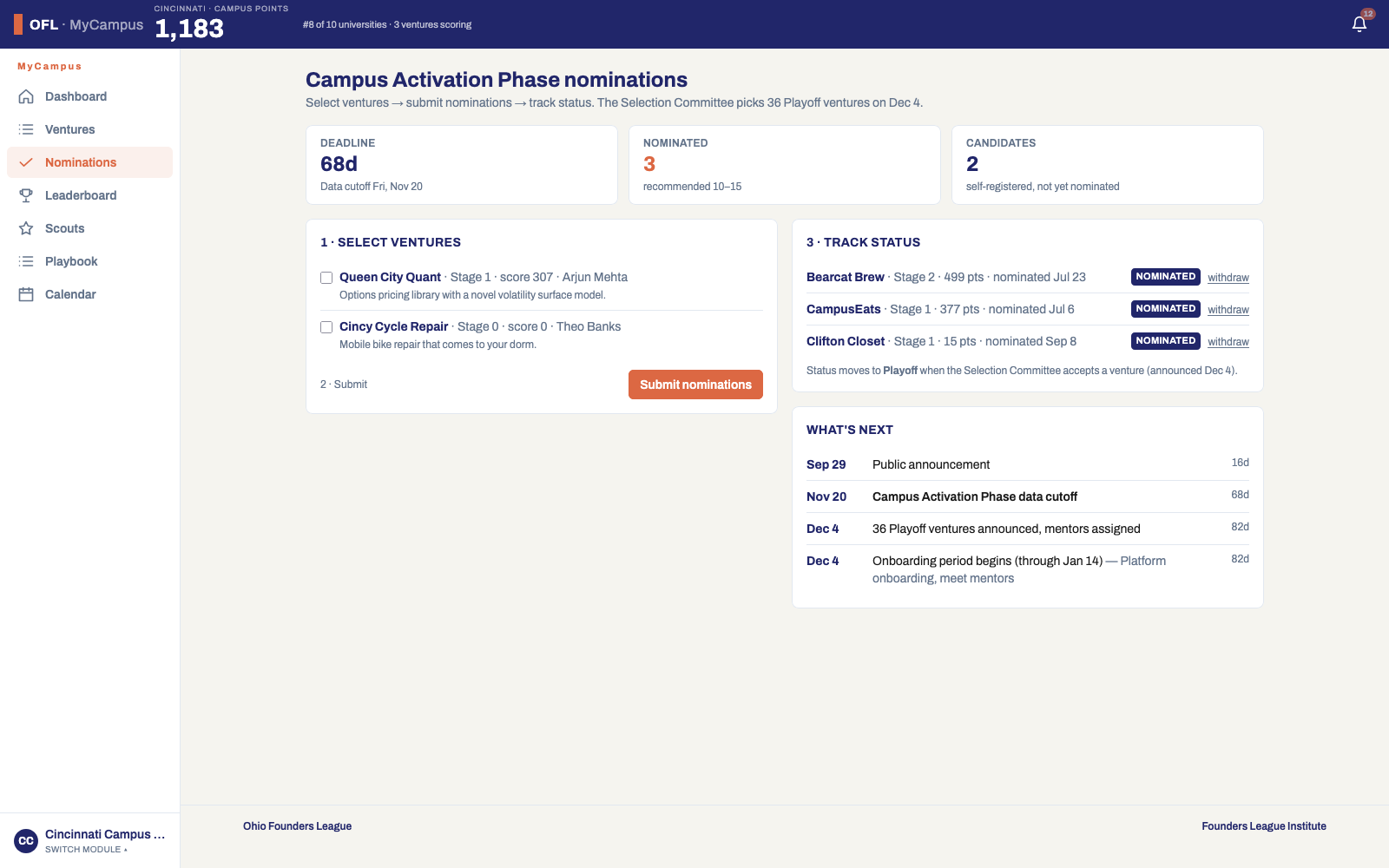
Nominate 10 to 15 by November 20. The committee names the 36 on December 4.
The committee does not see your opinion of a venture. It sees the venture's record: stage and how it was earned, challenges done, weekly reports, verified boss kills, and Scout backing. That is why the most useful thing you can do for a venture you believe in is get it registered early and reporting every week. A nominated venture with eight weeks of reports beats a nominated venture with a good story.
Ten to fifteen is the recommendation because fewer than ten leaves the committee guessing about your campus and more than fifteen dilutes the signal. The dashboard flags you either side of the range.
- 1Open Nominations to see the count, the deadline, and every venture's status.
- 2Nominate from the alert, the venture page, or in bulk from the registry.
- 3Tell nominated founders to keep reporting. The record is what advances them.
Standings, Scouts, audits, and reporting to leadership
One set of numbers for everyone, Scouts from your campus, alerts when an audit touches a venture, and a CSV for leadership.
There is one leaderboard. Founders, campus leads, Scouts, and officials all see the same numbers, and the University tab ranks all ten founding universities on campus points. When your standing moves, you and your founders see it move for the same reason.
Scouts are the way a campus turns out for its founders. Anyone at your university can register as a Scout and receive $10,000 in play credits to back ventures. It is not real money: nothing is deposited and nothing is paid out, so there is no fundraising or compliance question for your campus. Scouts are 10 percent of League Scoring at live events, so a campus that turns out Scouts carries its founders onto the stage. The Scouts page shows who from your campus is playing.
When an official audits one of your ventures at a boss fight and points come off, you are notified along with the founder and every Scout holding it, and the reason is public on the profile. Nothing is required of you, but founders often call their campus lead first. Point them to their evidence and to the Challenges page, where the audit is explained.
- 1Leaderboard: your ventures across cohorts, and the University tab. Click any university to see its ventures.
- 2Scouts: recruit student organizations, faculty, and alumni. Watch your campus on the Scout leaderboard.
- 3Export CSV from the dashboard or the registry for your season report to leadership, and again on December 4 to show who made the 36.